Features
What LC9 Defence does today
LC9 Free
Scans on demand
Quick, Full, folder, file and USB scans whenever you choose.
AvailableKnown threat detection
Checks files against signed malware definitions stored on your PC.
AvailableSuspicious file detection
Looks inside programs and scripts for warning signs, without ever running them.
AvailableQuarantine and removal
Locks threats away so they can't run. Restore or delete them when you decide.
AvailableWorks offline
Scanning doesn't need the internet. Your files never leave your computer.
AvailableScan history and reports
See every scan, what was found and what you did about it.
AvailableSigned definition updates
Every update is digitally signed and checked before LC9 uses it.
Available
LC9 Premium
Real-time protection
Checks files the moment they're downloaded or opened.
In developmentRansomware Shield
Watches for programs suddenly encrypting your documents.
In developmentWeb protection
Warns you before you visit known malicious or phishing sites.
In developmentScheduled scans
Runs scans automatically at a time that suits you.
In developmentAutomatic updates
New definitions arrive by themselves.
In development
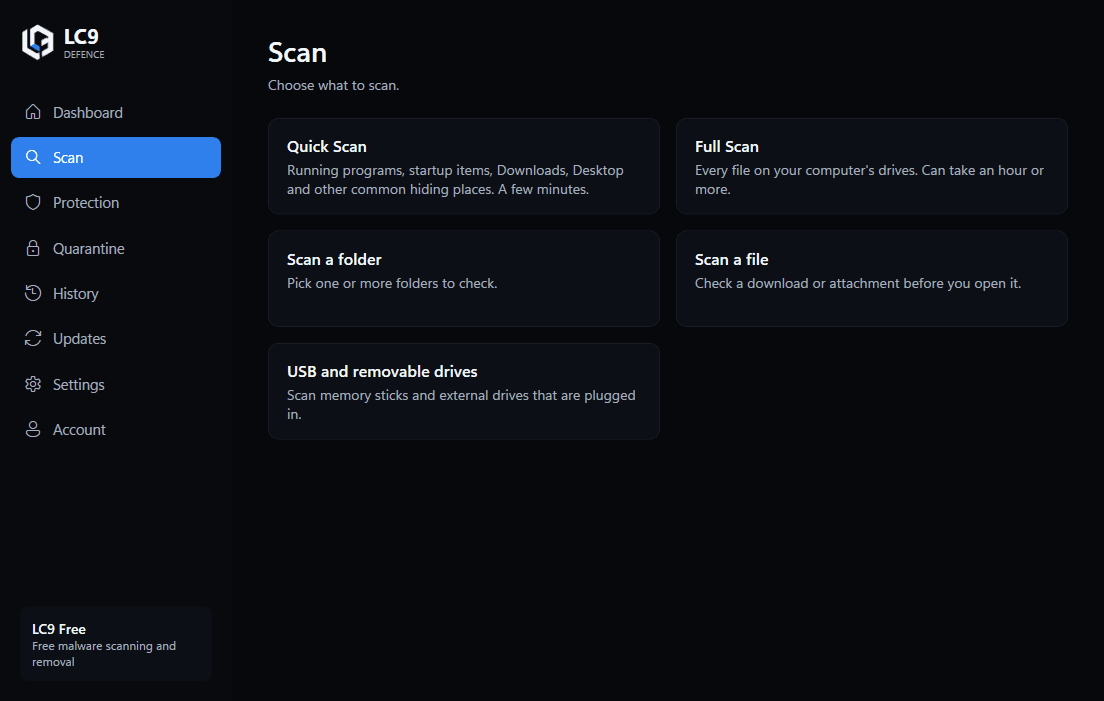
Five ways to scan
Quick Scan checks running programs, startup items, Downloads, Desktop and other common hiding places. Full Scan checks every file on your drives. You can also scan a single folder, a single file, or any USB stick or external drive you plug in.
You can pause, resume or cancel a scan at any time. Files LC9 couldn't check, because they were in use or protected, are counted in the summary rather than silently skipped.